Ergonomic Workspace Tips to Support Spinal Health
September 11, 2025
11 min

Why Ergonomics Matter for Spinal Health
Back pain and musculoskeletal disorders are common among desk workers due to poor workplace ergonomics. Understanding the connection between ergonomics and spinal health is crucial for preventing discomfort and long-term injury. This article delves into how designing an ergonomic workspace supports spinal well-being and offers practical guidance to maintain a healthy back during prolonged work hours.
The Importance of Ergonomics in Preventing Back Problems

How does ergonomics promote proper spinal alignment?
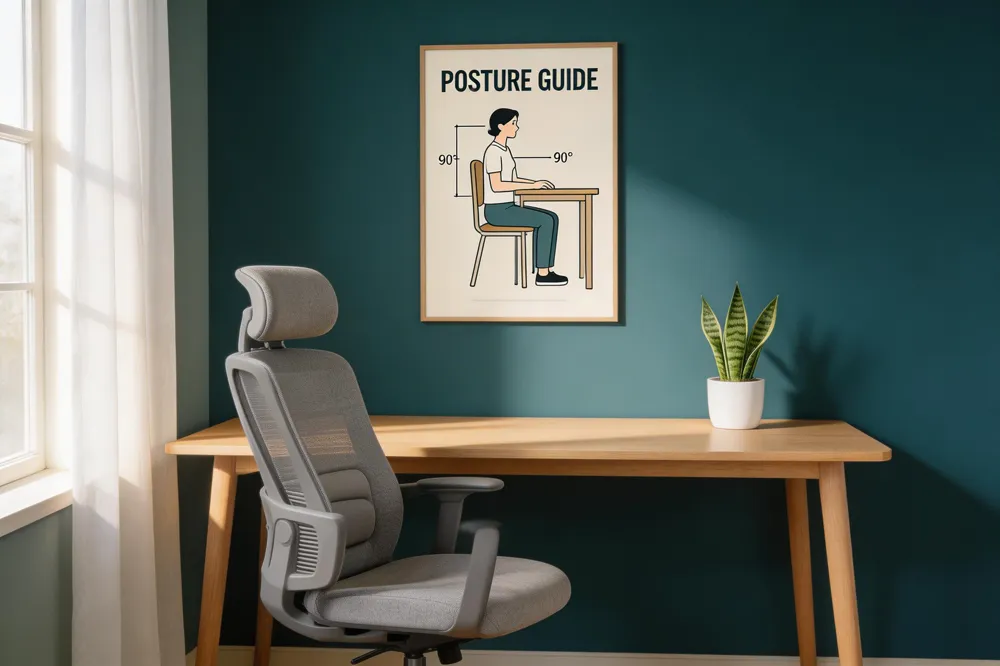
Proper ergonomic setup ensures the spine stays in its natural position, reducing strain on back muscles and discs. Adjustable chairs with lumbar support help maintain the spine’s curve, while monitor placement at eye level prevents neck bending. When the workspace allows for neutral postures—such as elbows bent at 90 degrees and feet flat on the ground—it promotes alignment that minimizes stress.
How does ergonomic design reduce stress on the spinal tissues?
By ensuring that equipment and furniture are positioned to avoid unnecessary reaching, twisting, or prolonged static postures, ergonomic design helps distribute physical loads evenly. Regular breaks and movement routines complement these adjustments, preventing muscle fatigue and reducing pressure on spinal discs and joints. For example, using footrests or lifts for the monitor can lessen the need to stretch or bend, supporting the body's natural mechanics.
How does ergonomics prevent musculoskeletal disorders?
Implementing ergonomic principles addresses common risk factors for musculoskeletal issues. Customized workstations that fit individual body sizes, supportive seating, and adjustable desks decrease repetitive strain and poor posture. Micro-stretching techniques, combined with ergonomic arrangements, help maintain flexibility and prevent injuries over time.
What impact does ergonomics have on productivity and injury reduction?
A workspace designed with ergonomic principles leads to fewer aches and pains, reducing absenteeism and increasing focus. It helps prevent long-term conditions like herniated discs and chronic back pain, which can be costly and debilitating. Studies show that investing in ergonomics improves overall worker well-being and operational efficiency, fostering a healthier workplace environment.
| Aspect | Benefits | Further Details |
|---|---|---|
| Postural Alignment | Minimizes back strain | Adjust chair height and monitor position for neutral spine and neck angles |
| Equipment Position | Reduces repetitive stress | Keep frequently used items within easy reach; maintain proper wrist positioning |
| Movement & Breaks | Prevents prolonged static posture | Follow the 20-8-2 rule: sit, stand, walk regularly |
| Core Strengthening | Supports overall back health | Engage in exercises like yoga, pilates, or swimming |
| Ergonomic Education | Promotes proper habits | Regular training on best practices and early symptom reporting |
Establishing good ergonomic practices consistently can significantly alleviate back pain and reinforce spinal health. It’s a simple yet powerful approach to fostering a safer and more productive work environment.
Designing an Ergonomic Workspace to Support Spinal Health
Creating a workspace that promotes spinal health relies heavily on smart ergonomic choices and regular movement. Proper furniture selection and adjustment are fundamental. An office chair with adjustable height, lumbar support, and armrests helps maintain the natural curve of your spine. Your feet should rest flat on the floor with knees at a 90-degree angle, and the chair should support your lower back without forcing you into an unnatural position.
Monitor and keyboard positioning are equally important. The top of your computer screen should be at or slightly below eye level, about an arm's length away, to prevent neck strain. Your keyboard and mouse should be at a height where your elbows are bent at approximately 90 degrees, and wrists stay straight, reducing tension on your arms and shoulders.
Incorporating movement into your routine is critical. Take short breaks every 30 minutes to stand, stretch, or walk around. Between sitting sessions, using sit-stand desks or converters allows you to alternate positions, easing pressure on your spinal discs. Regular stretching and strengthening exercises, such as yoga or pilates, support core muscles that stabilize your spine, helping prevent long-term discomfort.
In summary, an ergonomic workspace involves appropriate furniture adjustments, monitor and keyboard placement, and an active approach to breaks and exercises. These strategies collectively support a healthy spine, reduce the risk of musculoskeletal problems, and promote overall well-being.
Guidelines for Arranging an Ergonomic Workspace

Creating an ergonomic workspace involves careful consideration of furniture, equipment placement, and environmental factors to support spinal health and overall comfort.
Start with adjustable furniture. Choose an ergonomic chair with lumbar support that you can modify to fit your body, ensuring your feet rest flat on the ground or on a footrest. The chair height should allow your knees to be at a 90-degree angle, with thighs parallel to the ground. The workspace desk should be at the right height so your forearms are parallel to the floor when typing, preventing unnecessary reaching or bending.
Monitor placement is crucial. Position your screen directly in front of you, about an arm's length away, with the top line at or just below eye level. This setup minimizes neck strain and encourages good posture. Adjust the monitor's height and tilt if needed, especially if you wear bifocals, to reduce eyestrain.
Desk layout should facilitate ease of movement. Keep frequently used items like the keyboard, mouse, and documents close by within easy reach to avoid stretching or twisting that could strain your back and neck. Place your mouse and keyboard so that your wrists stay straight, and your upper arms stay relaxed and close to your torso.
Environmental considerations include appropriate lighting—preferably natural or soft, ambient light—and good ventilation to promote comfort and concentration. Minimizing glare on screens and controlling air quality can further reduce discomfort.
Incorporate regular movement and posture changes. Follow the 20-8-2 rule: sit properly for 20 minutes, then stand or stretch for 8 minutes, and walk or move for 2 minutes. Use adjustable sit-stand desks or make shifts in posture to avoid prolonged static positions, which can cause musculoskeletal strain.
By implementing these ergonomic guidelines, you can create a workspace that reduces physical stress, minimizes injury risk, and enhances productivity and well-being.
Ergonomic Practices to Improve Sitting Posture and Workstation Setup
Maintaining a proper ergonomic setup at your workstation is vital for spinal health and overall comfort. Start with an adjustable chair that supports the natural curve of your spine. The chair should be set so your feet rest flat on the floor or on a footrest, with thighs parallel to the ground and knees at about a 90-degree angle. Proper lumbar support, whether built-in or added via a support pillow or rolled towel, helps keep your lower back aligned.
Position your monitor correctly to avoid neck strain. The top of the screen should be at or slightly below eye level and placed about an arm's length away. This positioning helps promote a natural head and neck posture, especially important if you wear bifocals. Adequate lighting, avoiding glare on the screen, also reduces eye strain.
Your keyboard and mouse should be within easy reach, placed on your desk at elbow height so your forearms are parallel to the ground. Keep wrists straight and close to your body, using ergonomic peripherals like split keyboards or mouse pads with wrist supports when helpful.
Space management under your desk is crucial. Ensure there is enough room for your legs and feet, and keep the area free from clutter to avoid unnecessary twisting or reaching. Use a footstool if your feet do not reach the ground comfortably.
Regular breaks and movement are essential. Alternate between sitting and standing using sit-stand desks or frequent standing intervals. Micro-movements like stretching or short walks every 30 minutes counteract the risks associated with prolonged static posture.
Lastly, consider ergonomic accessories, such as adjustable keyboard trays, document holders, or monitor arms, that help fine-tune your workspace setup. Implementing these practices can significantly mitigate musculoskeletal discomfort and support long-term spinal health.
Practical Tips for Maintaining Spinal Health Through Workspace Setup
How can adjusting your chair support your spinal health?
Adjusting your chair properly is crucial for good posture and spinal well-being. Ensure the chair offers lumbar support to maintain the natural curve of your lower back. Set the seat height so that your feet rest flat on the floor or a footrest, and your thighs are parallel to the ground. The seat depth should allow enough room for blood circulation without pressing into the back of your knees. Supportive armrests should be adjusted so your arms can be relaxed at a 90-degree angle, supporting your shoulders and neck.
What is the best placement for monitors and input devices?
Position your monitor so that the top of the screen is at or slightly below eye level, about an arm's length away. This setup minimizes neck strain and encourages a natural head position. Use an external keyboard and mouse, particularly if working on a laptop, to keep your wrists straight and forearms aligned. Keep frequently used objects within arm's reach to avoid unnecessary stretching and twisting.
How does maintaining a neutral sitting posture promote spinal health?
A neutral posture involves sitting back fully in the chair, with your back supported by lumbar support and your hips and knees at a 90-degree angle. Keep your shoulders relaxed and your upper arms close to your body. Your wrists should be straight and aligned with your forearms when typing or using a mouse. Good alignment reduces stress on spinal muscles and discs, preventing discomfort and long-term injuries.
Why are breaks and stretching important?
Prolonged static sitting can cause stiffness and muscle fatigue. To counter this, follow the 20-8-2 rule: sit for 20 minutes with proper posture, then stand or stretch for 8 minutes, and walk or move for 2 minutes. Incorporate simple stretches such as neck rolls, shoulder shrugs, and seated spinal twists. Breaking up your sitting time increases circulation, eases muscle tension, and maintains spinal flexibility.
How can core strengthening exercises support spinal stability?
Strengthening your core muscles provides essential support for your spine. Exercises like planks, bridges, yoga, or Pilates target the abdominal, back, and pelvic muscles. A stronger core reduces the load on your spine during daily activities and sitting, aiding in pain prevention and improving posture.
| Ergonomic Aspect | Tips | Additional Details |
|---|---|---|
| Chair Adjustment | Adjust height, lumbar support, armrests | Feet flat, thighs parallel, support natural lordosis |
| Monitor Placement | Eye level, arm's length away | Prevents neck strain, promotes good head posture |
| Posture | Sit back fully, keep shoulders relaxed | Reduces back and neck discomfort |
| Breaks and Movement | Every 30 minutes | Stand, stretch, walk for a few minutes |
| Core Exercises | Yoga, pilates, strength routines | Supports back and overall posture |
Proper workplace ergonomics is a small, consistent effort that can greatly reduce musculoskeletal problems. Regularly re-evaluating your setup, incorporating movement, and strengthening core muscles are simple yet effective steps toward a healthier spine and improved well-being.
Supporting Spinal Health During Prolonged Work Periods and Preventing Injury
How can spinal health be supported when working for prolonged periods?
Supporting spinal health during long work hours involves maintaining proper ergonomic posture and making strategic adjustments at your workspace. This includes adjusting your chair to support the natural curve of your lower back with lumbar support, keeping your feet flat on the floor or on a footrest, and positioning your monitor at eye level about an arm's length away to reduce neck strain.
Taking regular breaks every 30 minutes—using the 20-8-2 rule—by standing, stretching, or walking for a few minutes can combat stiffness and improve circulation. Incorporating core-strengthening exercises like planks, bridges, or yoga routines helps stabilize the spine and alleviates muscular tension. Alternating between sitting and standing with a sit-stand desk or a DIY setup reduces the negative effects of prolonged static positions.
Lastly, wearing supportive footwear, practicing proper lifting techniques, and adjusting your work setup as needed contribute significantly to spinal wellbeing during extended work periods.
What strategies can improve workspace ergonomics to promote spinal well-being?
Enhancing workspace ergonomics requires tailored adjustments that support correct posture and reduce strain. Use adjustable chairs with lumbar support, ensuring seat height lets your thighs be parallel to the ground and your feet rest flat. Position your monitor so the top is at or slightly below eye level, keeping it about an arm's length away.
Ensure your keyboard and mouse are at elbow height, and your wrists are straight as you work. Keep frequently used objects within easy reach to avoid unnecessary stretching or twisting.
Promote frequent movement by standing or walking every 30 minutes, and incorporate stretch exercises such as neck rolls and shoulder shrugs. Providing ergonomic accessories like footrests, external keyboards, and document holders supports proper alignment.
Educating employees on proper posture, lifting techniques, and the importance of regular breaks encourages a health-conscious culture that benefits spinal health over time.
How can spinal injury be prevented through ergonomic adjustments?
Prevention of spinal injury hinges on adjusting your workspace to sustain a neutral spine and avoid awkward postures. Supportive chairs with adjustable lumbar support, correct desk height, and monitor placement are essential. Your computer screen should be directly in front of you at eye level, and your keyboard and mouse should be positioned to keep your elbows at about a 90-degree angle.
Regularly breaking up static sitting by stretching and walking every 30 minutes reduces muscle fatigue and pressure on spinal discs. Core strengthening through exercises like yoga or pilates fosters spinal stability, while training in proper lifting techniques decreases undue stress during physical tasks.
Combining ergonomic adjustments with physical activity enhances spine resilience and diminishes injury risks, promoting a healthier work environment.
Maintaining Spinal Health Through Ergonomic Awareness
Creating an ergonomic workspace is a powerful strategy to prevent back pain and support spinal health during everyday work. By selecting the right furniture, positioning equipment thoughtfully, and incorporating regular movement and stretching into your routine, you promote comfort and reduce the risk of musculoskeletal injuries. Ergonomics is not only about furniture adjustments but also about fostering habits that encourage proper posture and core strength. Ultimately, investing in ergonomic practices benefits not only spinal well-being but also overall productivity and quality of life at work and beyond.
References
- Designing Your Workspace for Spine Health
- Ergonomic and Proper Posture for Sitting - Spine Care
- Office ergonomics: Your how-to guide
- Ergonomic Tips for a Healthy Spine While Working from ...
- 9 Ergonomic Tips for Synchronizing Your Work Station and ...
- Work: Ergonomic Tips for a Healthy Spine at the Office
- The science of ergonomics: optimizing spine health in ...
- spinal health in the workplace
- Tips For an Ergonomic Desk for Reduced Pain and a ...
- Spine Health: Posture and Workplace Ergonomics
Recent articles

10 Real‑Patient Success Stories Showcasing the Impact of Chiropractic Care

Superfoods That Boost Nerve Healing After Chiropractic Sessions

Sleep Positions That Promote a Healthy Back Alignment
Signs Your Chiropractor Is a Good Fit for Your Back Pain Goals
Case Study: Integrated Physiotherapy and Chiropractic for Faster Recovery
First-Time Chiropractic Visit: A Step‑by‑Step Walkthrough
Synergistic Benefits: Combining Physiotherapy with Chiropractic Care

Beyond Surgery: Holistic Approaches to Managing Back Pain

How Manual Therapy Enhances the Effects of Chiropractic Adjustments

Hydration Hacks: Why Water Matters for Joint and Spine Function

What Does a Comprehensive Spinal Evaluation Include?

Success Spotlight: Transformative Results After Six Weeks of Chiropractic Treatment

Understanding the Initial Assessment Process in Chiropractic Care
Designing a Personalized Corrective Exercise Plan for Chronic Pain Management

Natural Pain Management: Combining Acupuncture, Yoga, and Chiropractic
Chiropractic Care vs. Pain Meds: Long-Term Outcomes for Back Pain Sufferers

What to Expect During a Sciatica‑Focused Decompression Session

Understanding the Pain-Relief Mechanics Behind Chiropractic Adjustments

Success Rates of Non‑Surgical Spinal Decompression for Sciatica

Patient-Centered Chiropractic Care: Personalized Plans for Back Pain Relief
How Chiropractic Treatments Reduce Inflammation and Speed Up Back Pain Recovery

Real‑Life Stories: How Chiropractic Helped Patients Overcome Chronic Back Pain

From Symptom Masking to Root‑Cause Healing: A Practical Guide

6 Holistic Non‑Surgical Treatments That Deliver Sustainable Back‑Pain Relief

Key Questions to Ask When Selecting Your Chiropractor

Mindful Movement: Incorporating Stretch Breaks Into a Busy Day

Why Targeting the Underlying Cause Beats Temporary Symptom Relief

8 Ways Physiotherapy Complements Chiropractic Adjustments for Faster Recovery
Meal Planning for Athletes Recovering from Back Injuries

9 Everyday Lifestyle Tweaks to Preserve a Healthy Spine and Prevent Pain

Functional Movement Screening for Root‑Cause Pain Identification

6 Things You’ll Experience During Your First Chiropractic Appointment

Spinal Decompression vs. Standard Physical Therapy for Sciatica: A Comparative Review

New Findings on How Adjustments Influence Blood Circulation
Work‑From‑Home Ergonomics: A Blueprint for a Pain‑Free Back

The Link Between Chiropractic Care and Improved Sleep Quality

Physiotherapy Techniques That Strengthen the Benefits of Chiropractic Adjustments

Biomechanical Insights Behind Successful Spinal Decompression

Desk‑to‑Dumbbell: Lifestyle Shifts That Guard Your Lower Back
10 Corrective Exercises for Sustainable Pain-Free Living

Morning Routines That Support Spine Health and Reduce Stiffness

Calcium and Magnesium‑Focused Nutrition for Bone Density and Spine Health

9 Ways Chiropractic Care Transforms Back Pain Management

Testimonial: Nutrition‑Guided Recovery Accelerated by Chiropractic
Science‑Backed Spinal Decompression for Relieving Sciatica Symptoms

Key Questions to Ask During Your Initial Chiropractic Consultation
Whole‑Body Wellness Blueprint: Nutrition, Exercise, and Chiropractic Synergy
A 12‑Week Corrective Exercise Blueprint for Chronic Neck Discomfort

Manual Therapy Plus Targeted Exercise: Accelerating Post‑Injury Recovery
Home‑Based Spinal Decompression Devices: What Patients Should Know

Chiropractic Care Statistics: Reducing Lost Workdays From Back Pain

How Targeted Nutrition Enhances Immune Function and Lowers Inflammatory Pain

Self‑Assessment Tools to Identify Hidden Triggers of Back Pain
Preparing for Your First Chiropractic Appointment: A Practical Checklist

Back Pain Relief Benefits: Lower Opioid Use and Better Quality of Life

Foam‑Rolling Techniques to Complement Chiropractic Adjustments

Progressive Overload Principles in Corrective Exercise Programs
Six‑Month Transformation: Integrated Care Success Story

7 Nutritional Hacks to Boost Your Overall Wellness

How to Choose a Chiropractor: Credentials, Techniques, and Patient Compatibility

5 Ways Spinal Decompression Can Ease Sciatica Pain

Overcoming Sciatica: A Patient’s Multidisciplinary Treatment Journey
Lifestyle Changes That Promote a Healthy Spine
Physiotherapy as a Complement to Chiropractic Treatments
6 Ways Physiotherapy Enhances Chiropractic Treatment Outcomes
Daily Living Tips for a Strong and Healthy Spine

How Physiotherapy Enhances Chiropractic Outcomes
Holistic Treatments: Alternatives to Surgery for Pain Relief
Inspiring Patient Success Stories from Chiropractic Clinics

Integrating Physiotherapy with Chiropractic Treatments
Corrective Exercise Routines for Chronic Pain Prevention
10 Corrective Exercises to Maintain a Healthy Spine and Relieve Pain
Exercise Strategies for Long-Term Pain Management
10 Corrective Exercises to Maintain a Healthy Spine and Relieve Pain
The Importance of Treating the Root Cause of Pain
Nutritional Support Strategies for Whole-Body Wellness
7 Essential Questions to Ask When Choosing Your Chiropractor
Identifying and Addressing Root Causes of Pain

Maintaining a Healthy Spine with Lifestyle Adjustments
Sciatica Symptom Relief via Spinal Decompression
8 Reasons Why Addressing the Root Cause of Pain Is Crucial

Chiropractic Care’s Impact on Back Pain Recovery

Combining Physiotherapy with Chiropractic Care for Better Results
Inspiring Recovery: Chiropractic Patient Testimonials
Nutritional Counseling Tips for Optimal Wellness

Why Addressing the Root Cause of Pain is Crucial
Back Pain and Chiropractic Care: A Winning Combination
Chiropractic Care Benefits You Might Not Know
Exploring Holistic and Non-Surgical Treatments for Pain
Spinal Health: Lifestyle Tips for Everyday Wellness
Spinal Decompression Therapy: Benefits and Applications
Holistic and Non-Invasive Spine Care Options
Everyday Lifestyle Advice to Keep Your Spine Healthy
The Significance of Treating Root Causes in Pain Therapy
Best Corrective Exercises for Sustainable Pain Management
Addressing Underlying Causes of Pain for Long-Term Relief
6 Key Benefits of Spinal Decompression Therapy for Sciatica Relief

How Nutritional Counseling Supports Spine Health and Recovery

The Role of Physiotherapy in Supporting Chiropractic Treatments